Difference Between Team Members and Subcontractors on Houzz Pro
Team members and subcontractors have a very important role in the success of your business. As an employee in your company, a team member is involved in the day-to-day operations of your projects. Subcontractors, on the other hand, are external stakeholders — they are part of another company, but they specialise in a particular part of your project and are a key part of your project's progression.
Within Houzz Pro, there are several differences between how a team member and how a subcontractor can use the software. This includes accessibility, cost, and their overall account view.
Accessibility Differences
For Team Member
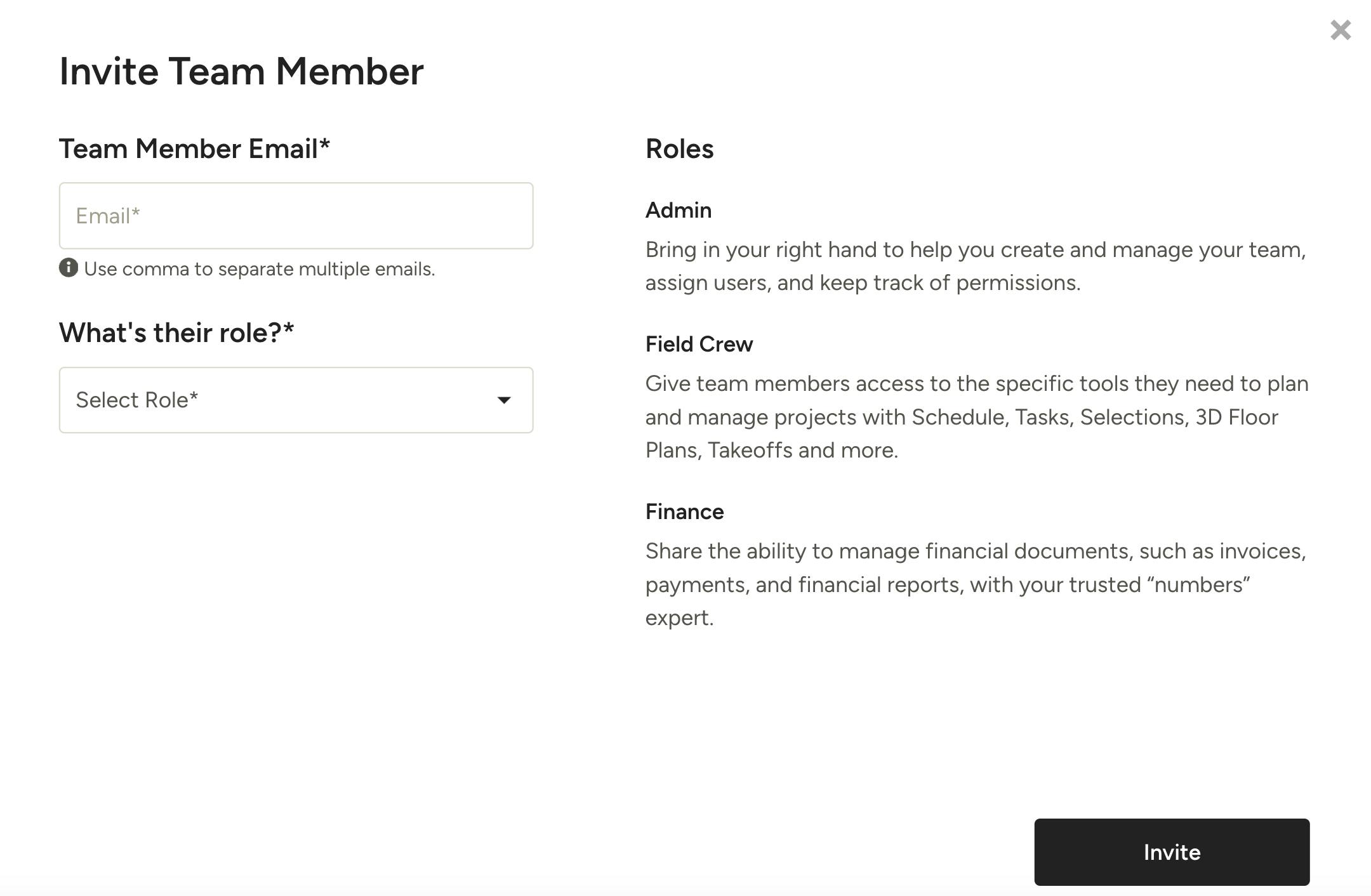
Since team members are a part of your company, they will be able to view and interact with more features in Houzz Pro, depending on their defined role. Team members will by default receive access to all past projects and all future projects, unlike subcontractors who receive access on a project-by-project basis.
There are multiple roles a team member can have, including Admin, Field Crew/Design Team or Finance. The role they play in your company determines which permissions are automatically granted, but you can easily customise the permissions for each individual team member. To learn more about working with team members in Houzz Pro, read Inviting Your Team Members and Setting Permissions.
For Subcontractor
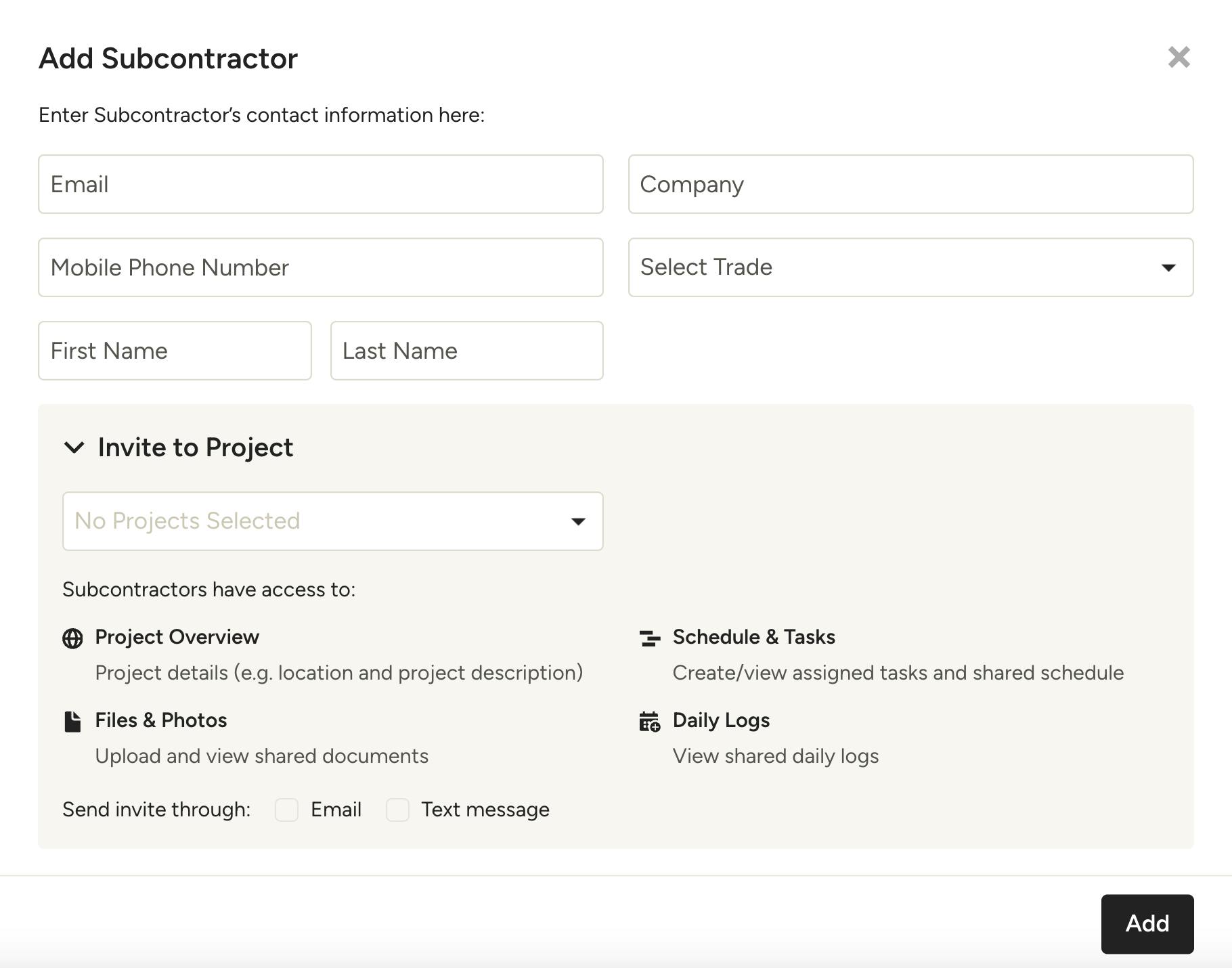
Since subcontractors work for other companies, they will have a more limited Houzz Pro experience. While team members can access all assigned projects in one place, subcontractors receive access to assigned projects in individual dashboards. When you add a subcontractor, you will need to manually specify which project(s) you want them to view.
Once added to a project, the subcontractor will be able to view project details. Even if you share a project with a subcontractor, they do not automatically have access to files, schedule or daily logs. You will need to manually change share settings for each feature you would like subcontractors to view.
To learn more about working with subcontractors in Houzz Pro, read How to Invite and Collaborate with Subcontractors.
Cost Differences
For Team Member
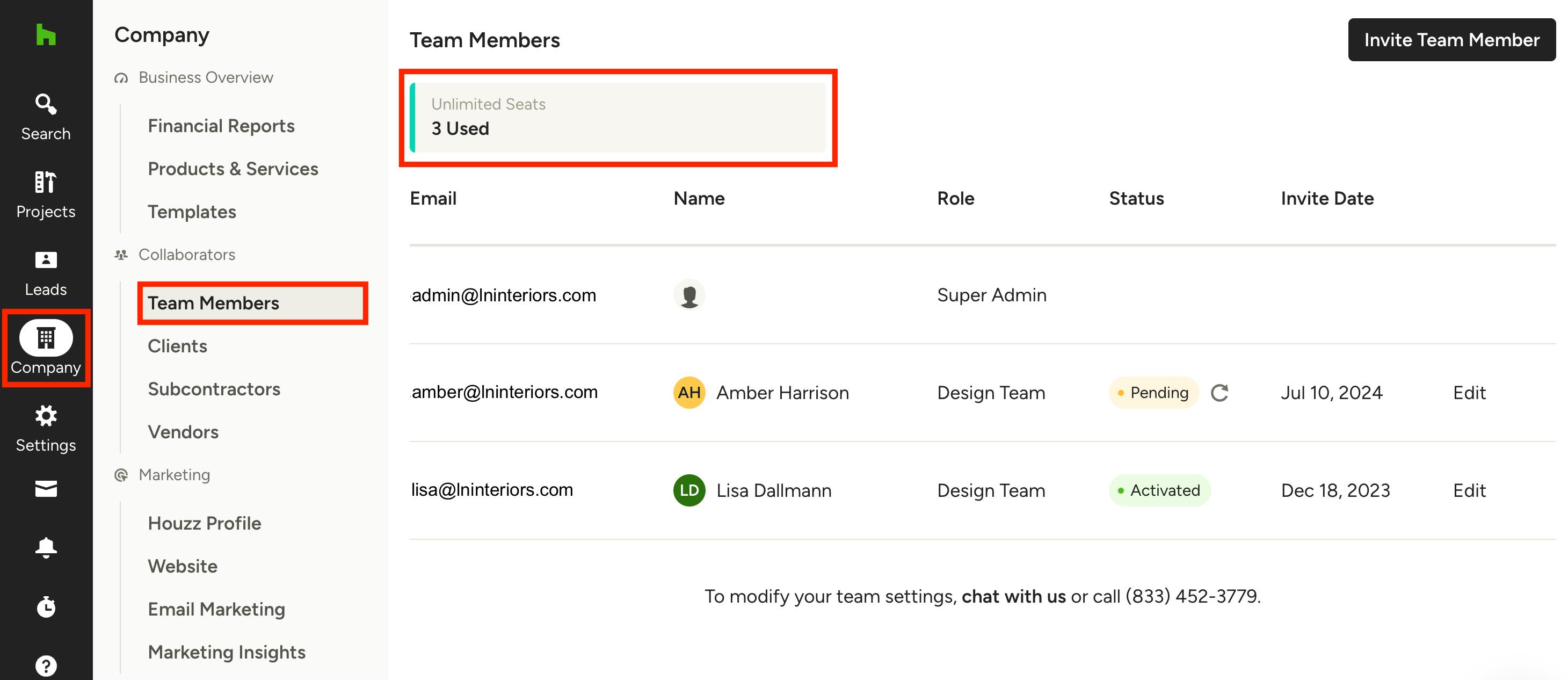
Since team members can access all parts of Houzz Pro, each team member seat costs an additional $90 AUD per month ($90 NZD per month for pros in New Zealand). Some Custom packages also include unlimited seats in the price of your package.
The team overview page will show you the number of seats you currently have. To access, click the Company icon in the left navigation, then select Team Members from the left menu. At the top of the page, it will show how many seats are used and how many are available. If you would like to make changes, you can contact support.
For Subcontractor
Since subcontractors have more limited access to Houzz Pro, every subcontractor you add is free of charge.
Account Differences
For Team Member
Team members will need to create a Houzz Pro account in order to access and use all the features. Once they log into their Houzz Pro account, their view will be similar to the admin view.
For Subcontractors
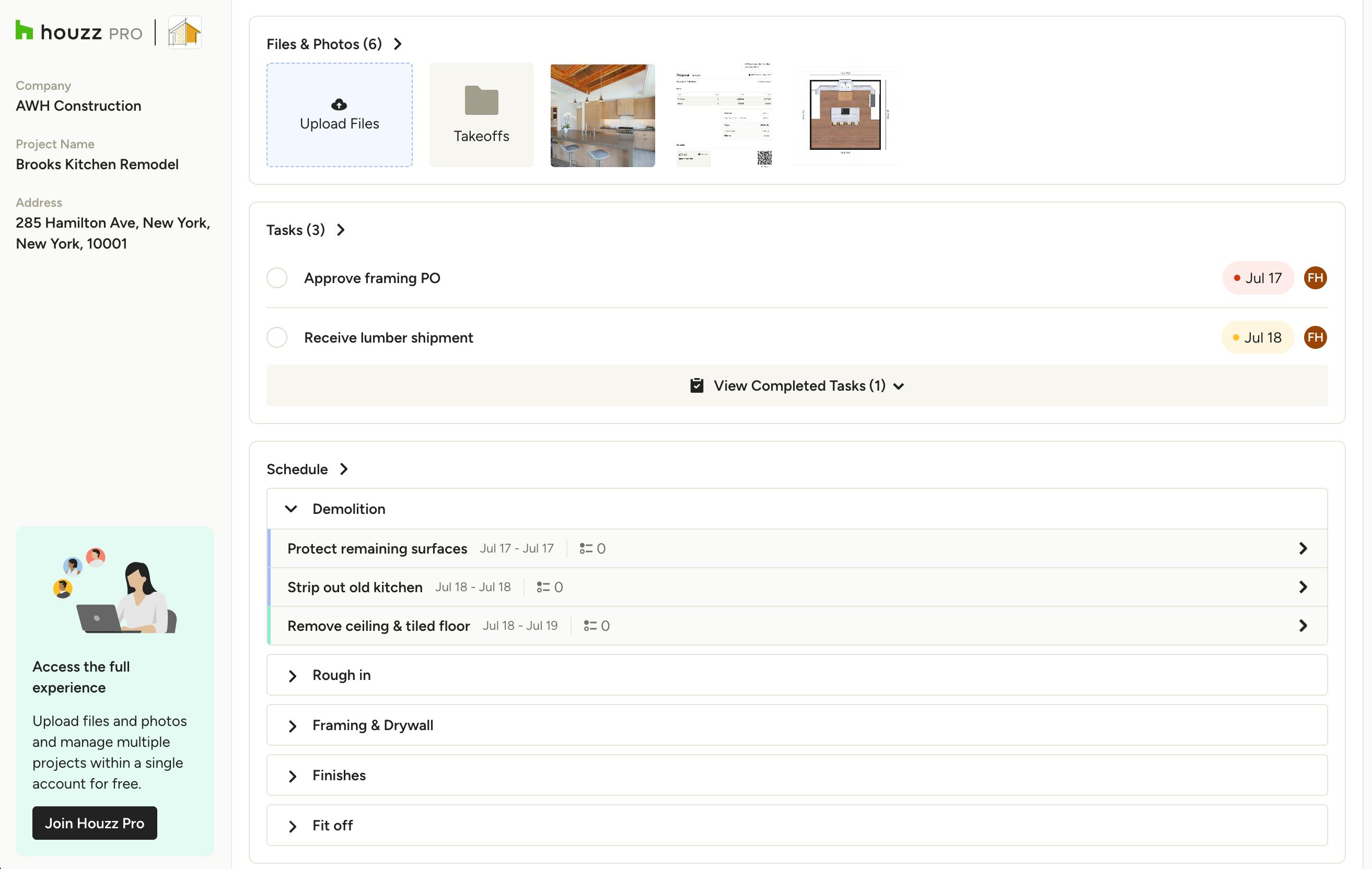
Subcontractors can either create a free Houzz Pro account, or they can use an existing paid account and just switch between accounts. They can also access the subcontractor dashboard without creating an account — just click the project-specific link shared via email to open.
Please Note: There are some accessibility differences if the subcontractor chooses to not create an account, which you can read more about here.
Once in the subcontractor dashboard, they will be able to see project details, including files and photos, tasks and schedule. To learn more about the subcontractor dashboard, read How to Use the Subcontractor Dashboard.